D2 Survivors Mobile: Phone Play and Desktop Options
Updated 2026-11-07
Version build 20261101.1
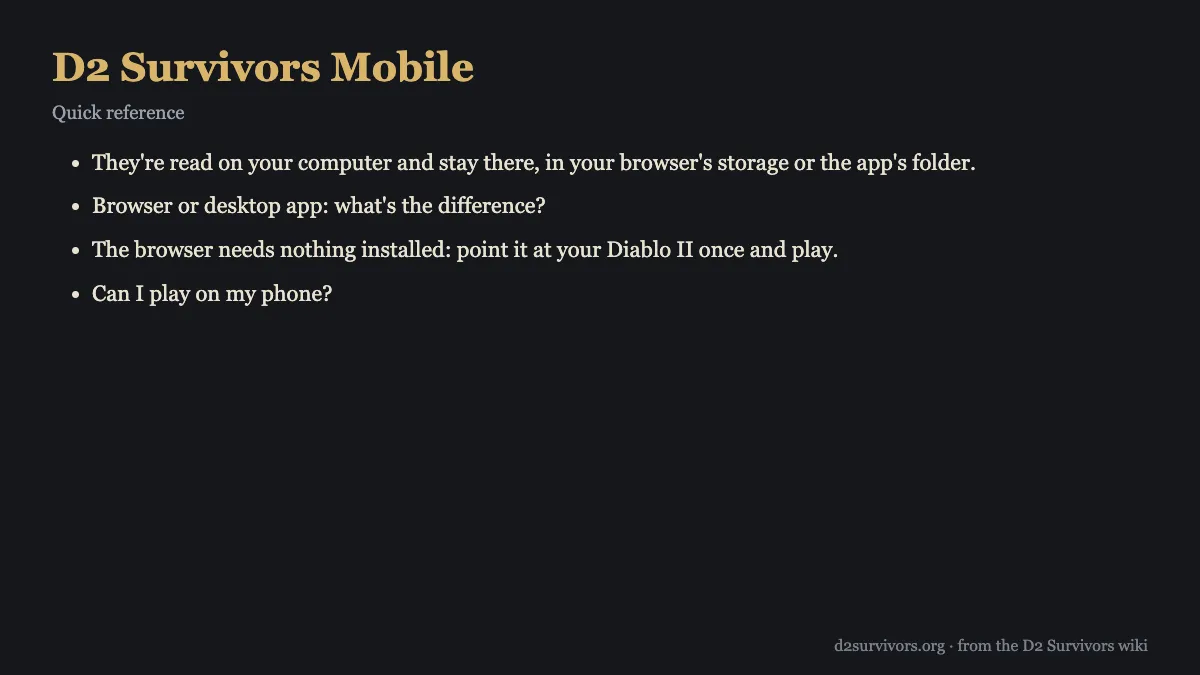
D2 Survivors mobile can be played on a phone while the site serves its hosted game files. A phone cannot read your Diablo II install, so it cannot use the browser setup that reads your own files. When hosted play ends, a phone browser without your own files will show a notice instead of the game.
Can You Play D2 Survivors mobile Today?
Yes, while the site serves the hosted files. A phone or tablet cannot read a Diablo II install, so the mobile route depends on the files the site serves. Once the hosted version ends, opening the game on a phone without your own files will show a page explaining that hosted play has ended. That page provides a way to your own files or the desktop app, and lets you download your Softcore save.
On a computer, the browser setup reads your install in the browser: choose its folder, then select EXTRACT. It needs nothing installed; point it at your Diablo II once and play. The browser keeps about 1.1 GB of game files and asks to keep them for good. You can open the setup again outside a run through Options, GAME OPTIONS, GAME FILES, to extract again or remove the browser files.
Your progress is one save, kept in the browser you play in or on disk in the desktop app. On the website, SAVES on the main menu exports a Softcore save as a code or file and imports it in another browser or the app. The save carries progress between places; sound, video, keyboard and controller options, AUTO STATS and language stay with the browser or desktop app. See how to play for the setup steps.
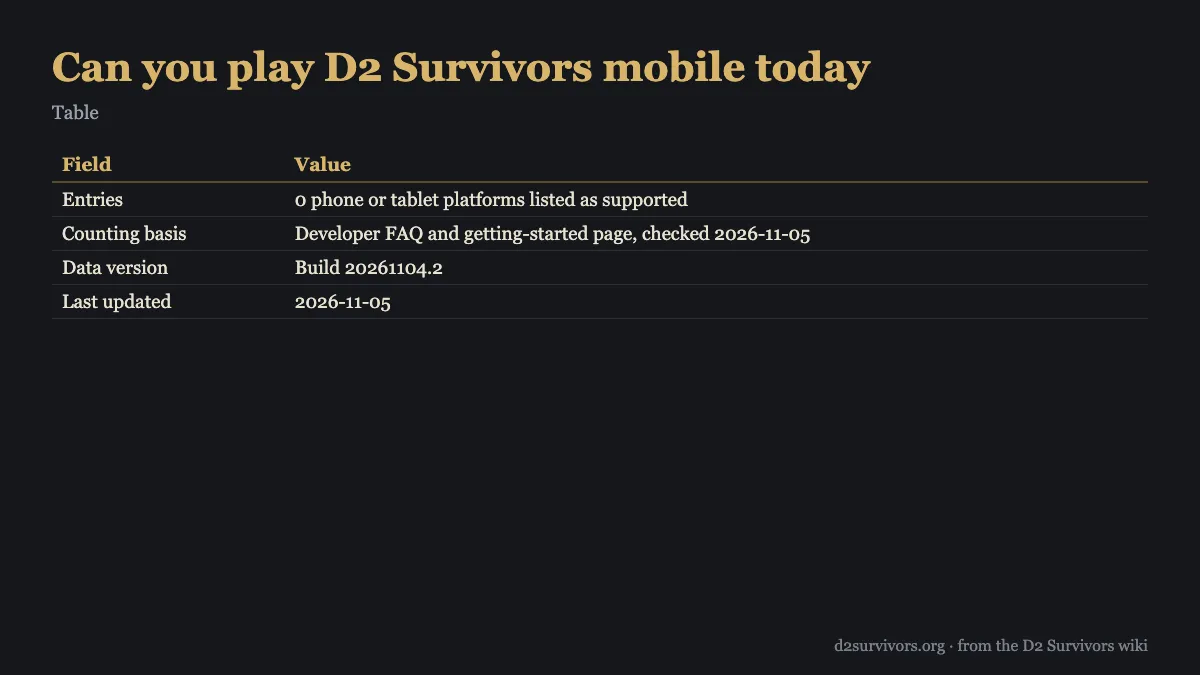
| Field | Value |
|---|---|
| Entries | 0 phone or tablet platforms listed as supported |
| Counting basis | Developer FAQ and getting-started page, checked 2026-11-05 |
| Data version | Build 20261104.2 |
| Last updated | 2026-11-05 |
Does It Run on Android Browsers?
A phone browser can play the hosted files while they are served, because a phone or tablet cannot read your own install. That is the relevant limit for Android: D2 Survivors mobile relies on hosted play and cannot use the browser setup that reads an install from a computer. Once hosted play ends, a browser without your own files gets the ended notice instead of the game.
The browser version works in desktop Chrome, Edge, Firefox and Safari. That list describes desktop browsers; it does not establish a separate guarantee for every Android browser or device. If you are playing on a phone, keep in mind that the game may continue while the tab is open, but closing the tab or the phone killing it costs that act’s gains and nothing more.
Your heroes stay in the browser with or without game files. On the website, the save is stored in the browser, and the game asks that browser to keep its storage for good as it opens. SAVES can move Softcore progress to another browser, another device or the desktop app. Before changing anything, the screen compares the current save with the incoming one, including gold, upgrades, items and best time.
For more help with browser setup and play, see the troubleshooting guide.
Does D2 Survivors mobile Run on iPhone and iPad?
D2 Survivors mobile can run on an iPhone or iPad through hosted play while the site serves its files. The device cannot read your Diablo II install, so it cannot use the setup that extracts your own files into a browser. If hosted play ends, a browser without those files will show the ended notice, with a route to your files or the desktop app and a way to download your Softcore save.
There are a couple of iOS-specific behaviors to know. During a run, the browser on an iPhone or iPad does not ask before Back, Ctrl+W or F5 interrupts the page. The run is saved, but CONTINUE starts the act over. SAVE AND EXIT, a closed tab or a phone killing the tab costs that act’s gains and nothing more.
Sound and music play on an iPhone or iPad even when the ring/silent switch is set to silent, as a video’s do. If the phone stops sound in the middle of a run, it returns on your next tap, key or controller press. A phone can be held upright or sideways. These details help explain what to expect during a session, but they do not change the need for hosted files on mobile.
For class ideas before you start a run, browse the class guide.
What Do Touch Controls Look Like?
The available details do not specify a touch-screen button layout, so there is no reliable control map to describe. The game does support play on a phone held upright or sideways. Keyboard hints are based on the keys bound in that browser, and each hint names the key you bound; those hints describe keyboard play rather than a touch layout.
One useful mobile option is VIDEO OPTIONS’ SHOW ITEMS. It keeps every item’s name visible on the floor all the time, like holding Alt does. Walking up while Alt is held, or while the controller’s left trigger is held, leaves the item names shut so you can pick up loot at the smith’s feet. On a phone, SHOW ITEMS gives you the always-visible item names without needing to hold Alt.
A gamepad can play the whole game, including in Chrome, Edge, Firefox, Safari and the desktop app. Xbox, PlayStation and Switch Pro pads are supported. A hit taken and an act boss’s death rumble the pad where the browser can; Options, CONTROLLER lets you switch rumble on or off, set the stick dead zone, rebind each action or RESET TO DEFAULTS. Controller settings stay in that browser.
If you want to compare character choices before using a pad or touch screen, the build guides cover the playable classes.
What Works Better on a Computer?
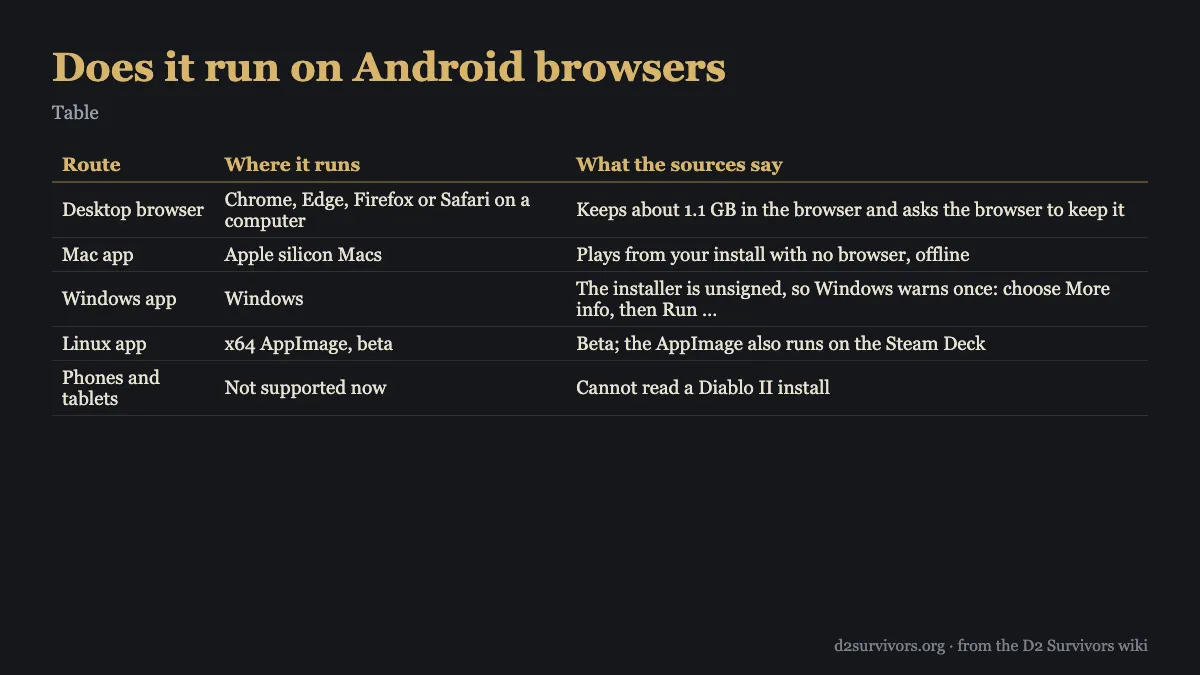
A computer gives you the choice of the browser version or a desktop app. The browser needs nothing installed beyond pointing it at your Diablo II once. It reads your install in the browser, then keeps about 1.1 GB there and asks to retain it. Desktop apps are available for Mac with Apple silicon, Windows and Linux; the Linux app is a beta x64 AppImage that also runs on the Steam Deck.
The desktop app plays from your install with no browser, offline. Its save is on your disk, apart from every browser, and it also keeps a copy of the Softcore save outside its browser engine. EXIT closes the desktop app after asking. In the browser, your progress and settings belong to that browser, and D2 Survivors mobile hosted play depends on the site continuing to serve its files.
On some Windows PCs, the browser’s default graphics backend, Direct3D 11, keeps memory the longer you play. To change it in Chrome, open chrome://flags/#use-angle, set it to D3D11on12 and relaunch. In Edge, open edge://flags/#use-angle and make the same change. The desktop app already does this.
A controller works across the browser and desktop app, but it drives nothing while another window has focus. That lets you use the pad in another game while the desktop app stays open. Browser save handling also has safeguards: recent copies can restore a missing save, and a save the game cannot read is kept aside in that browser. Compare the download options if you are choosing a computer route.
| Route | Where it runs | What the sources say |
|---|---|---|
| Desktop browser | Chrome, Edge, Firefox or Safari on a computer | Keeps about 1.1 GB in the browser and asks the browser to keep it |
| Mac app | Apple silicon Macs | Plays from your install with no browser, offline |
| Windows app | Windows | The installer is unsigned, so Windows warns once: choose More info, then Run anyway |
| Linux app | x64 AppImage, beta | Beta; the AppImage also runs on the Steam Deck |
| Phones and tablets | Not supported now | Cannot read a Diablo II install |
D2 Survivors Mobile FAQ
Can I keep playing if I close the phone tab?
The run is saved, but closing the tab or the phone killing it costs that act’s gains and nothing more. If nothing has been saved yet, or the browser refused the save, the game says so before you leave.
Can I move my Softcore save from my phone?
SAVES on the main menu carries Softcore progress to another browser, device or the desktop app. Before anything changes, it shows the current save beside the incoming one, and keeps the save being replaced aside in that browser.
Will sound work with my iPhone on silent?
Yes. Sound and music play with the ring/silent switch on silent, and sound stopped mid-run returns on your next tap, key or controller press.
Can I use a controller with D2 Survivors mobile?
A gamepad plays the whole game, and controller support includes Chrome, Edge, Firefox, Safari and the desktop app. Controller settings stay in the browser where you set them.
What happens if hosted play ends?
A phone browser without your own files gets a page saying the hosted version has ended, with a route to your files or desktop app and your Softcore save to download. D2 Survivors mobile depends on hosted files when the phone cannot read your install.
Facts on this page come from the D2 Survivors wiki at d2survivors.lol (game build 20261101.1), read on 2026-11-07. Values can change with later builds.