D2 Survivors Controls: Keyboard, Mouse and Controller
Updated 2026-11-07
Version build 20261101.1
D2 Survivors controls are built around movement: your skills cast on their own, so you never aim or press a skill. Click a spot or steer with the mouse, use the arrow keys, or play with a supported gamepad. The same guide covers menus, camp, mobile touch controls and changing your bindings.
What Are the D2 Survivors Controls on Keyboard and Mouse?
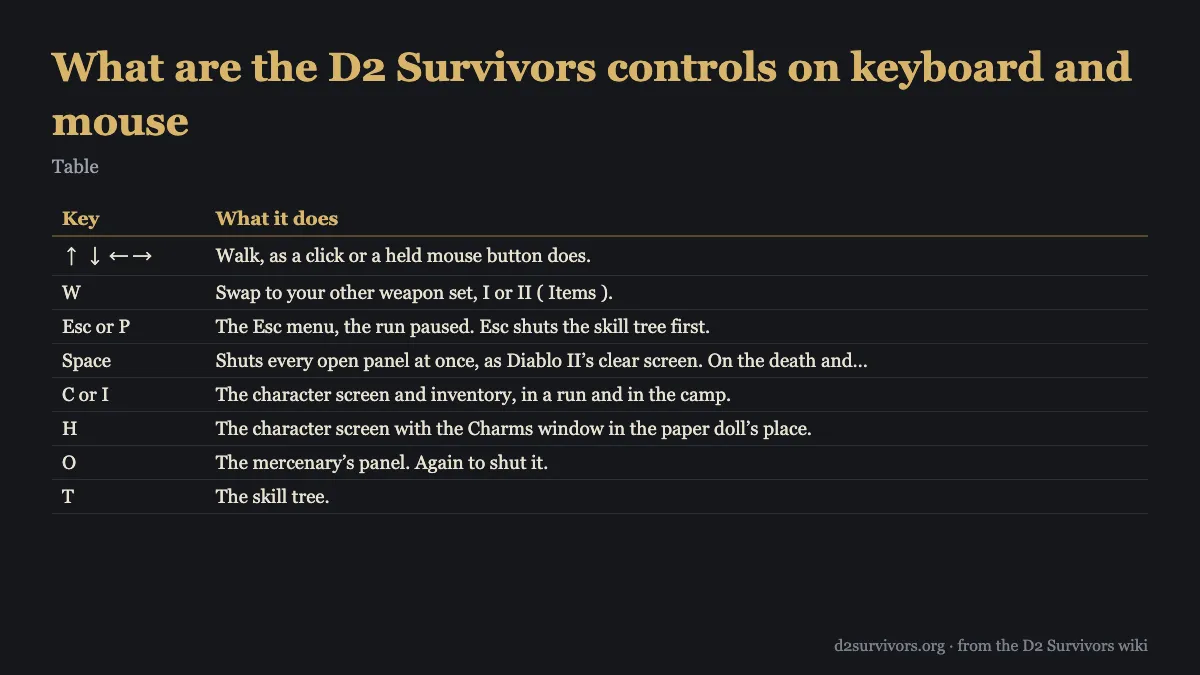
In a run, your main job is to keep moving as monsters come from every side. Click a reachable spot to walk there, or hold the left mouse button and steer with the pointer. The arrow keys also walk, and take over from the mouse. Your class skills cast on their own, each on its own recharge, so there is no attack key or manual aiming. These D2 Survivors controls keep the focus on movement. For a look at the run’s progression and stages, see A run.
| Key | What it does |
|---|---|
| ↑ ↓ ← → | Walk, as a click or a held mouse button does. |
| W | Swap to your other weapon set, I or II ( Items ). |
| Esc or P | The Esc menu, the run paused. Esc shuts the skill tree first. |
| Space | Shuts every open panel at once, as Diablo II’s clear screen. On the death and victory screens it presses the first button, as Enter does: PLAY AGAIN after a Softcore death. |
| C or I | The character screen and inventory, in a run and in the camp. |
| H | The character screen with the Charms window in the paper doll’s place. |
| O | The mercenary’s panel. Again to shut it. |
| T | The skill tree. |
| Q | The Quest Log. |
| Tab | The automap, in a run and in the camp: the overlay, the corner map, then off. |
| 1-4 | Drink from that column of the belt, in a run. |
| Alt, held | Every item’s name on the floor. |
| M | Sound and music off or on. |
| L | The damage a second, in a run: OFF, SIMPLE, DETAILED. |
How Do You Move and Aim in a Run?
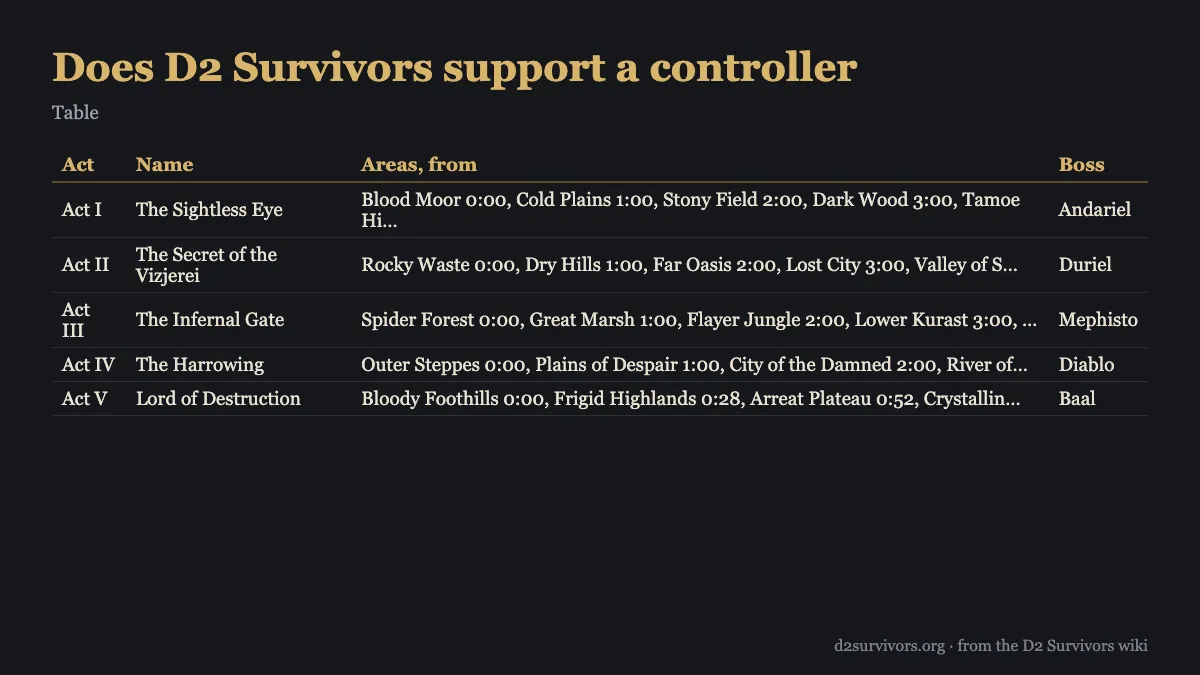
There is no aiming step: move through the monsters and let your skills cast automatically. A clicked destination can be blocked by a tree, boulder or wall; your hero stops trying once they cannot get any nearer. The stamina bar at the bottom runs down through each act, and when it empties, that act’s boss arrives. Kill the boss and use the red portal to continue. Each act lasts 6 minutes, and the acts follow Diablo II’s areas in order. D2 Survivors controls keep you moving through each stage.
| Act | Name | Areas, from | Boss |
|---|---|---|---|
| Act I | The Sightless Eye | Blood Moor 0:00, Cold Plains 1:00, Stony Field 2:00, Dark Wood 3:00, Tamoe Highland 4:00, Catacombs 5:00 | Andariel |
| Act II | The Secret of the Vizjerei | Rocky Waste 0:00, Dry Hills 1:00, Far Oasis 2:00, Lost City 3:00, Valley of Snakes 4:00, Claw Viper Temple 4:30, Arcane Sanctuary 5:00, Tal Rasha's Tomb 5:45 | Duriel |
| Act III | The Infernal Gate | Spider Forest 0:00, Great Marsh 1:00, Flayer Jungle 2:00, Lower Kurast 3:00, Kurast Bazaar 3:30, Upper Kurast 4:00, Kurast Causeway 4:30, Travincal 4:45, Durance of Hate 5:00 | Mephisto |
| Act IV | The Harrowing | Outer Steppes 0:00, Plains of Despair 1:00, City of the Damned 2:00, River of Flame 3:00, Chaos Sanctuary 4:00 | Diablo |
| Act V | Lord of Destruction | Bloody Foothills 0:00, Frigid Highlands 0:28, Arreat Plateau 0:52, Crystalline Passage 1:26, Frozen River 1:44, Nihlathak's Temple 2:02, Halls of Vaught 2:14, Glacial Trail 2:30, Frozen Tundra 2:48, Ancients' Way 3:00, Arreat Summit 3:10, Worldstone Keep 3:42, Throne of Destruction 4:15 | Baal |
At level-up, the run pauses while you choose from 3 cards. Press 1–3 to pick, R to reroll, X to skip or B to banish. Cards fade in for 1.2 seconds before input counts, and belt keys briefly wait after the cards close. For the full run loop and progression, visit How to play.
Does the D2 Survivors Controls Setup Support a Controller?
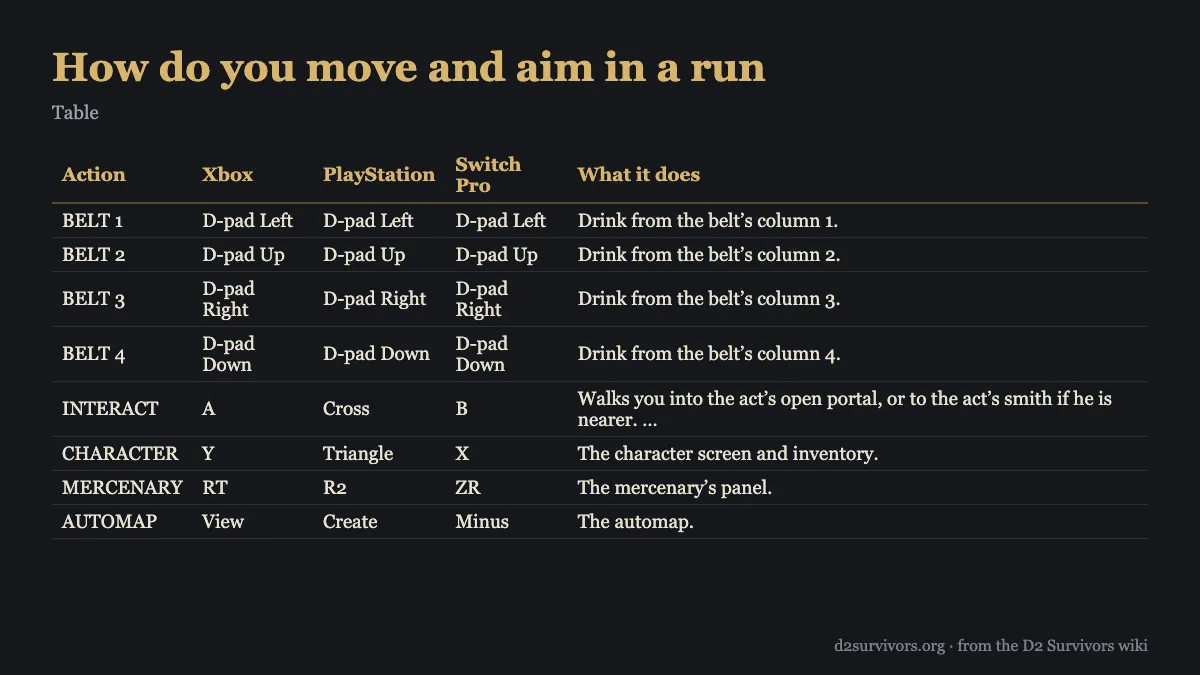
Yes. Xbox, PlayStation and Switch Pro pads work in Chrome, Edge, Firefox, Safari and the desktop app. The left stick moves you, including slower movement when it is pushed part way; skills still cast on their own. The pad or keyboard takes control of the screen according to whichever you used last. While using a pad, on-screen hints name its buttons, and you can adjust rumble and stick dead zone in Options.
| Action | Xbox | PlayStation | Switch Pro | What it does |
|---|---|---|---|---|
| BELT 1 | D-pad Left | D-pad Left | D-pad Left | Drink from the belt’s column 1. |
| BELT 2 | D-pad Up | D-pad Up | D-pad Up | Drink from the belt’s column 2. |
| BELT 3 | D-pad Right | D-pad Right | D-pad Right | Drink from the belt’s column 3. |
| BELT 4 | D-pad Down | D-pad Down | D-pad Down | Drink from the belt’s column 4. |
| INTERACT | A | Cross | B | Walks you into the act’s open portal, or to the act’s smith if he is nearer. In the camp, to the nearest person, the stash, a hero by the fire or the waypoint. |
| CHARACTER | Y | Triangle | X | The character screen and inventory. |
| MERCENARY | RT | R2 | ZR | The mercenary’s panel. |
| AUTOMAP | View | Create | Minus | The automap. |
| SKILL TREE | B | Circle | A | The skill tree. |
| GAME MENU | Menu | Options | Plus | The game menu. |
| PICK SKILL LEFT | LB | L1 | L | Picks the held skill to the left, framed on the strip. |
| PICK SKILL RIGHT | RB | R1 | R | Picks the held skill to the right. |
| REST SKILL | X | Square | Y | Rests the picked skill, or takes it up again. |
| SHOW ITEMS | LT | L2 | ZL | Held: every item’s name on the floor. |
| SHOW DAMAGE | RS | R3 | RS | Steps the damage a second. |
| SWAP WEAPONS | LS | L3 | LS | Swaps to your other weapon set, I or II. |
Menus use the D-pad or stick to move, the bottom face button to confirm, and the right face button or Start to go back. On screens such as the waypoint, level-up cards and inventory, a gold frame moves between clickable choices. Learn about carrying progress between places in Saves.
Which Keys Work in Camp and Menus?
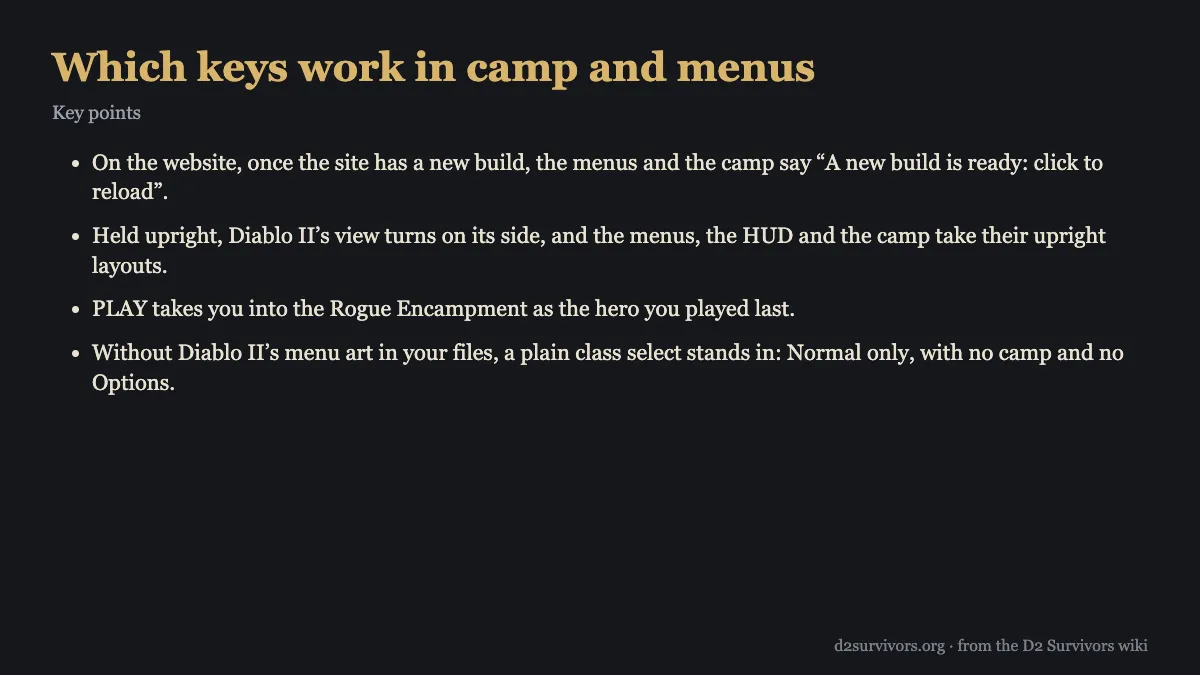
The arrow keys move through a run, while Esc, Tab, Q and C correspond to Pause, Automap, Quests and Character. At a level-up, the number keys select a card, and R, X and B reroll, skip and banish. Inventory actions depend on the screen, so check the hints as you play. The mouse’s back and forward buttons do nothing in the game. In camp, use the waypoint to enter a run and click another class’s hero by the bonfire to switch characters.
The main menu has PLAY, OPTIONS, SAVES and EXIT. NEWS lists build changes, and its gems glow gold when there is something new. PLAY returns you to camp as the hero you last played; the waypoint is the only way into a run. Charsi, Akara, Deckard Cain and the stash each have their own camp interactions. See Camp for more.
How Do You Change Control Settings?
Open Options, then KEYBOARD to see every key and change a binding. Choose an action, press Enter, then press the replacement key. Each action can have a main key and a second key; Delete removes one. If the new key belonged to another action, that action loses it and shows in red until you assign a key. RESET TO DEFAULTS restores every key. MOVE WITH WASD adds W, A, S and D for walking, with E for weapon swap.
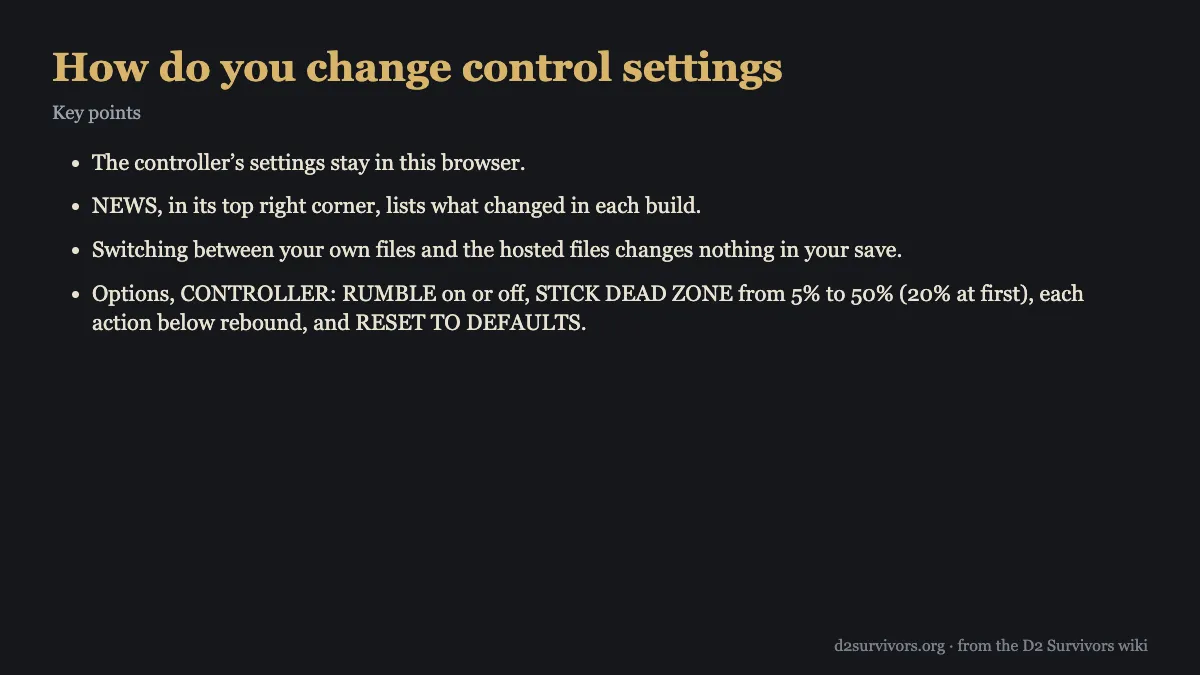
Controller bindings are under Options, CONTROLLER. You can rebind each action, change RUMBLE, adjust STICK DEAD ZONE, or restore defaults. Giving a button to another action moves it from the action that had it, which receives the old button. Settings stay in this browser, and hints update to show your chosen inputs. These D2 Survivors controls settings can be adjusted outside a run.
D2 Survivors Controls FAQ
Can I attack by pressing a button?
No. Your skills cast on their own, each with its own recharge. You only move during a run.
Can I use WASD to walk?
Yes. Turn on MOVE WITH WASD in Options, KEYBOARD to add W, A, S and D. E then swaps weapon sets.
Do D2 Survivors controls work with a controller on mobile?
The listed controller support covers the desktop app and browsers, while phones and tablets also support touch controls. Drag to steer or tap a spot to walk there.
What happens if I click a spot I cannot reach?
Your hero keeps trying to reach the spot, then lets go once they get no nearer. Trees, boulders and places past a wall can block the route.
How do I rest a skill?
Right-click its slot in the build strip or beside the skill tree to rest it; right-click again to take it up. The last FAQ tip for D2 Survivors controls is that a saved run keeps a rested skill that way.
Facts on this page come from the D2 Survivors wiki at d2survivors.lol (game build 20261101.1), read on 2026-11-07. Values can change with later builds.